Activating Your License
A quick walk-through of how to activate your license key in your target platform.
1
Activate license in Dataverse
Follow these steps to activate your license key inside a Dataverse environment.
Prerequisite: you must have the System Administrator role in the target Dataverse environment to activate a license key.
1. Open the target solution
Navigate to make.powerapps.com and select your target environment. Go to Solutions and click the solution you want to activate.
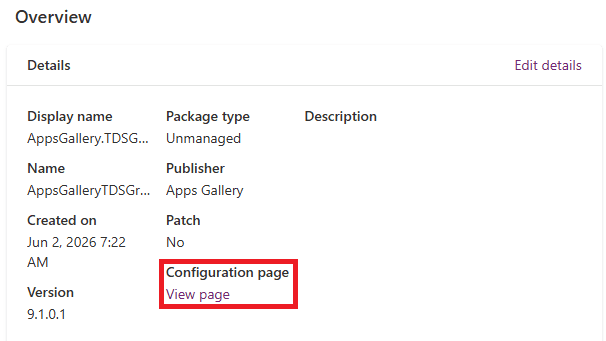
2. Open the Configuration page
On the solution's Overview screen, locate the Configuration page link shown below and click it.
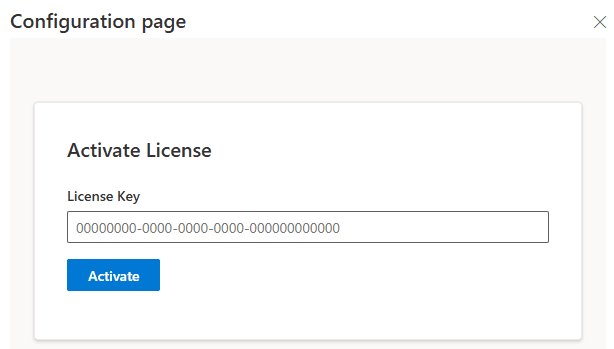
3. Activate your key
The Activate License configuration page opens. Paste the license key from your purchase email into the input box and click Activate. A success message confirms the activation.
Tip: can't find your license email? Check your spam or junk folder. You can also re-download your keys any time from My Account.
?
Need more help?
Reach out via the Contact Us page and we'll get back to you.